
To decide which Binance app to use? A guide to mobile trading reveals that your choice depends on your experience level, technical analysis requirements, and device performance. Binance offers both Lite and Pro interfaces within a single application, allowing users to toggle between a simplified experience for quick trades and a professional-grade suite for complex market analysis.
Which Binance App to Use? A Guide to Mobile Trading
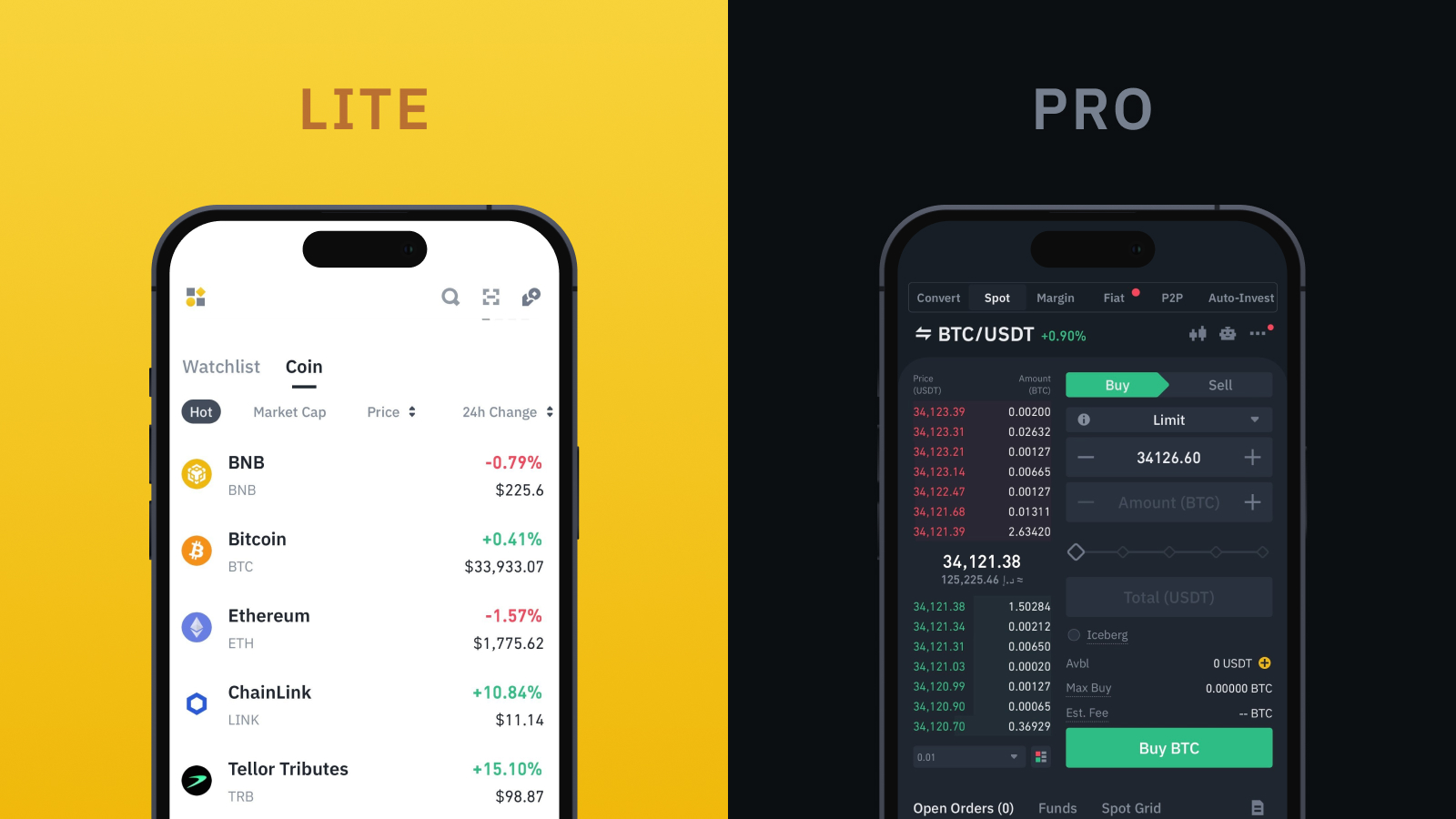
The fundamental design philosophy separating Binance Lite and Binance Pro lies in their approach to user experience and feature accessibility. Binance Lite prioritizes simplicity and ease of use, streamlining the interface for essential functions. In contrast, Binance Pro offers a comprehensive suite of tools and data, catering to experienced traders who require detailed market analysis and diverse order types.
Binance Lite for Rapid Asset Acquisition
Binance Lite is engineered for users who prioritize quick, straightforward transactions. Its simplified interface reduces clutter, making it ideal for beginners or those looking to execute basic buy and sell orders without navigating complex charts or advanced features. This mode is particularly effective for rapid asset acquisition, where speed and ease of understanding are more important than granular market data.
- Simplified Interface: Clean, intuitive layout with large buttons.
- Easy Buy/Sell: Direct access to purchase or sell cryptocurrencies with fiat or other crypto.
- Basic Portfolio View: A clear overview of your holdings without intricate details.
- Reduced Information Overload: Focuses on essential data, minimizing distractions.
Binance Pro for Technical Analysis and Order Depth
For traders who engage in technical analysis, utilize various order types, and require in-depth market data, Binance Pro is the indispensable choice. This mode provides access to advanced charting tools, real-time order books, margin trading, futures trading, and a wider array of cryptocurrencies and trading pairs. Professional-grade trading strategies demand the granular control and detailed insights that only Binance Pro trading features can deliver.
- Advanced Charting: Full-featured TradingView charts with multiple indicators and drawing tools.
- Comprehensive Order Types: Access to Limit, Market, Stop-Limit, OCO (One-Cancels-the-Other), and more.
- Real-time Order Book: Detailed view of buy and sell orders at various price levels.
- Diverse Markets: Access to Spot, Margin, Futures, Options, and other advanced products.
- Customizable Interface: Personalize your trading view with widgets and layouts.
Technical Requirements for Mobile Trading
The choice between Binance Lite and Pro can also be influenced by your mobile device’s technical specifications and your network stability. The advanced features and real-time data streams in Binance Pro demand more processing power and a robust internet connection compared to the lighter Binance Lite interface.
Hardware Constraints and App Responsiveness
Older mobile devices or those with limited RAM may struggle to run Binance Pro smoothly. The constant updating of real-time order books, complex charting indicators, and multiple data points can lead to slower load times, lag, or even app crashes on less powerful hardware. Binance Lite, with its minimalist design, is significantly less resource-intensive, offering a more responsive experience on a wider range of devices.
- Binance Lite: Minimal CPU and RAM usage, suitable for older or entry-level smartphones.
- Binance Pro: Requires a modern smartphone with sufficient processing power (e.g., Snapdragon 800 series or Apple A12 Bionic and newer) and at least 4GB of RAM for optimal performance.
- Network Stability: A stable, high-speed internet connection (4G/5G or reliable Wi-Fi) is crucial for Binance Pro to handle real-time data efficiently, especially during volatile market conditions. Lite mode is more forgiving with slower connections.
Feature Parity and Security Across Mobile Modes
Despite the significant differences in user interface and feature sets, it is critical to understand that the underlying security infrastructure and core account functionalities remain identical across both Binance Lite and Binance Pro. Users can switch between modes without compromising their account security or asset integrity.
Unified Account Security and Asset Management
Regardless of whether you are using Binance Lite or Pro, your account benefits from Binance’s robust security protocols. This includes mandatory Two-Factor Authentication (2FA) via Google Authenticator or SMS, anti-phishing codes, withdrawal whitelisting, and device management. Your cryptocurrency assets are stored in the same secure wallets, managed by Binance’s institutional-grade security measures, irrespective of the interface you choose to access them through.
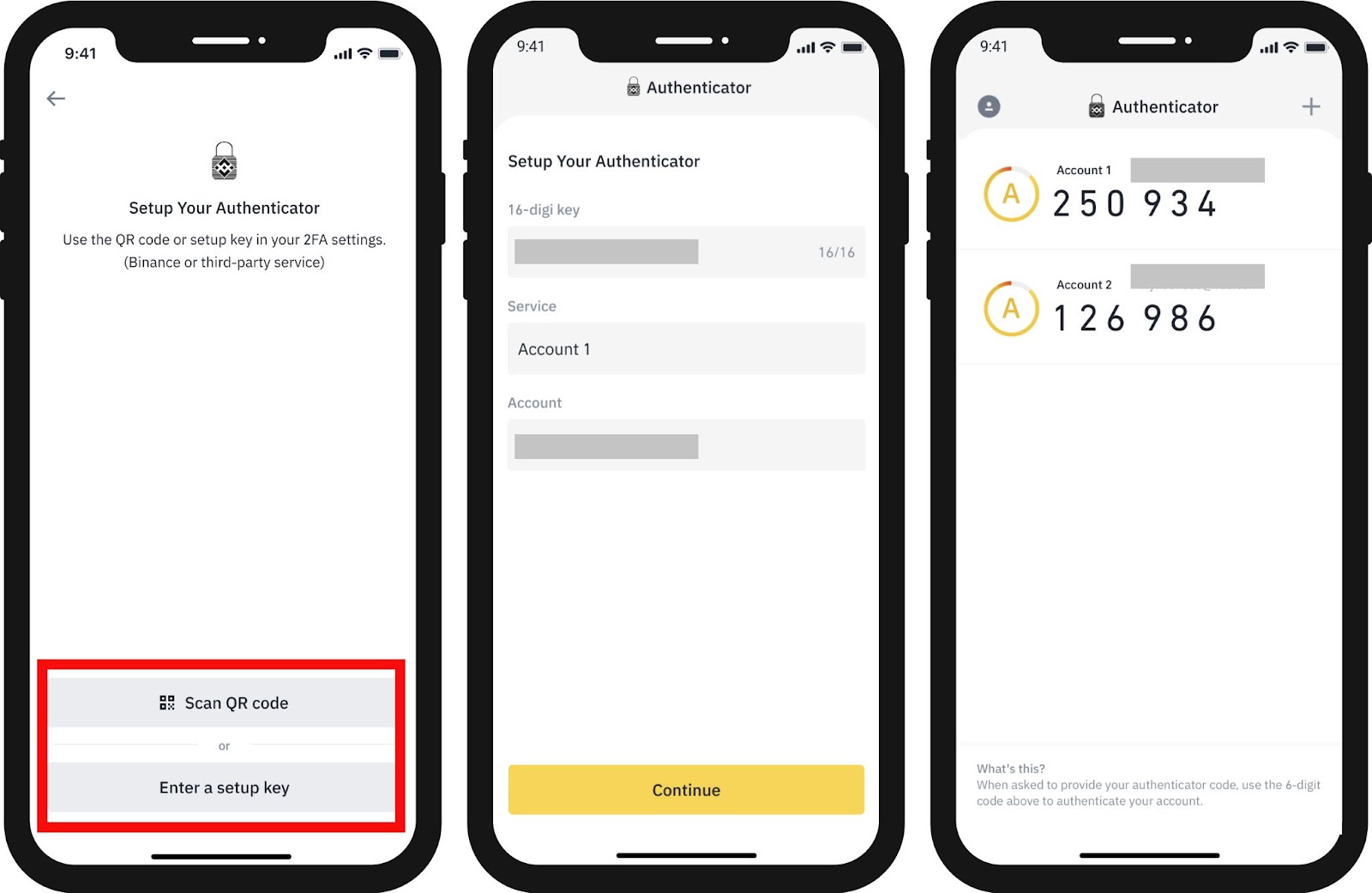
- Identical 2FA: Google Authenticator, SMS, or email verification applies to both modes.
- Consistent Wallet Access: Your funds are in the same wallet, accessible from either interface.
- Same KYC/AML Standards: Verification processes are unified across all Binance platforms.
- Equal Asset Protection: Funds are protected by Binance’s SAFU (Secure Asset Fund for Users) regardless of the app mode.
Decision Framework for Mobile Trading Environments
Determining the optimal Binance app mode involves assessing your trading experience, objectives, and the specific context of your current trading session. A practical checklist can guide your decision:
- Are you new to crypto or prefer simplicity? Choose Lite.
- Do you need advanced charts and indicators? Choose Pro.
- Are you making a quick, simple buy/sell? Lite is faster.
- Are you performing in-depth market analysis? Pro is essential.
- Is your phone older or has limited performance? Lite will run smoother.
- Do you require access to margin, futures, or specific order types? Pro is the only option.
- Is your internet connection unstable? Lite might offer a more reliable experience.
Scenario-Based Mode Switching
One of Binance’s strengths is the ability to seamlessly toggle between Lite and Pro modes within the same application. This flexibility allows traders to adapt their interface to different tasks during a single trading session. For instance, you might use Lite mode for a quick, opportunistic buy order, then switch to Pro mode to conduct detailed technical analysis on your portfolio or set up a complex stop-limit order.
This dynamic switching capability means you are not locked into one experience. A trader could initiate a simple fiat-to-crypto purchase in Lite mode, then immediately switch to Pro to set up a sophisticated trading strategy for that newly acquired asset. This hybrid approach maximizes efficiency, leveraging the strengths of each interface as needed.
Frequently Asked Questions
Understanding the Term ‘Binance’
Binance is a portmanteau of “binary” and “finance,” reflecting its focus on digital assets and financial services. To learn more about the platform’s scope, you can read our ultimate guide to Binance.
Binance’s Launch Timeline in India
Binance launched globally in July 2017. While it serves users in India, it does not have a specific “launch date in India” as a distinct local entity, primarily operating through international services or partnerships like its acquisition of WazirX in 2019.
Assessing Binance’s Security
While Binance employs industry-leading security measures, no system is entirely immune to sophisticated attacks. User accounts are more commonly compromised due to individual vulnerabilities like weak passwords, phishing scams, or malware rather than a direct breach of Binance’s core systems.
Official Communication from Binance
No, Binance typically does not initiate unsolicited phone calls to users for support, account verification, or any other reason. Official communications are generally conducted through email, app notifications, or its verified support channels.
Traceability of Binance Transactions
Yes, all cryptocurrency transactions processed on the blockchain, including those facilitated by Binance, are publicly recorded and inherently traceable. Binance also maintains internal records for regulatory compliance, such as Know Your Customer (KYC) and Anti-Money Laundering (AML) requirements. Before trading, it is wise to review Binance fees explained to understand your costs.
Exploring Binance Alpha
“Binance Alpha” is not an official product or service offered by Binance. Users should exercise caution if they encounter any third-party platforms or groups using this name, as they may not be affiliated with Binance.
- Operational assessment of Binance: The ultimate guide to the world’s largest crypto exchange
- Is Binance Legal & Regulated? Country-Specific Status and regulatory assessment
- Binance security measures and user trust assessment for institutional and retail capital
- Strategic optimization of Binance fees explained: trading, withdrawal, and deposit costs