

Defining precise data requirements with field selection: GraphQL Queries: How to Fetch Data Effectively
GraphQL operates on a client-driven model where the requester dictates the exact shape of the response. Unlike REST, which typically returns a fixed data structure defined by the server, GraphQL allows consumers to request only the specific fields required for a particular view or component.
This shift eliminates the common issue of over-fetching, where clients receive large, unnecessary objects, and under-fetching, which often necessitates multiple round-trips to assemble a complete data set.
Reducing payload size through granular field selection
The core mechanism of GraphQL queries: how to fetch data effectively relies on the client’s ability to specify scalar fields within a selection set. When a query is executed, the GraphQL and HTTP protocol engine traverses the schema and resolves only the requested fields.
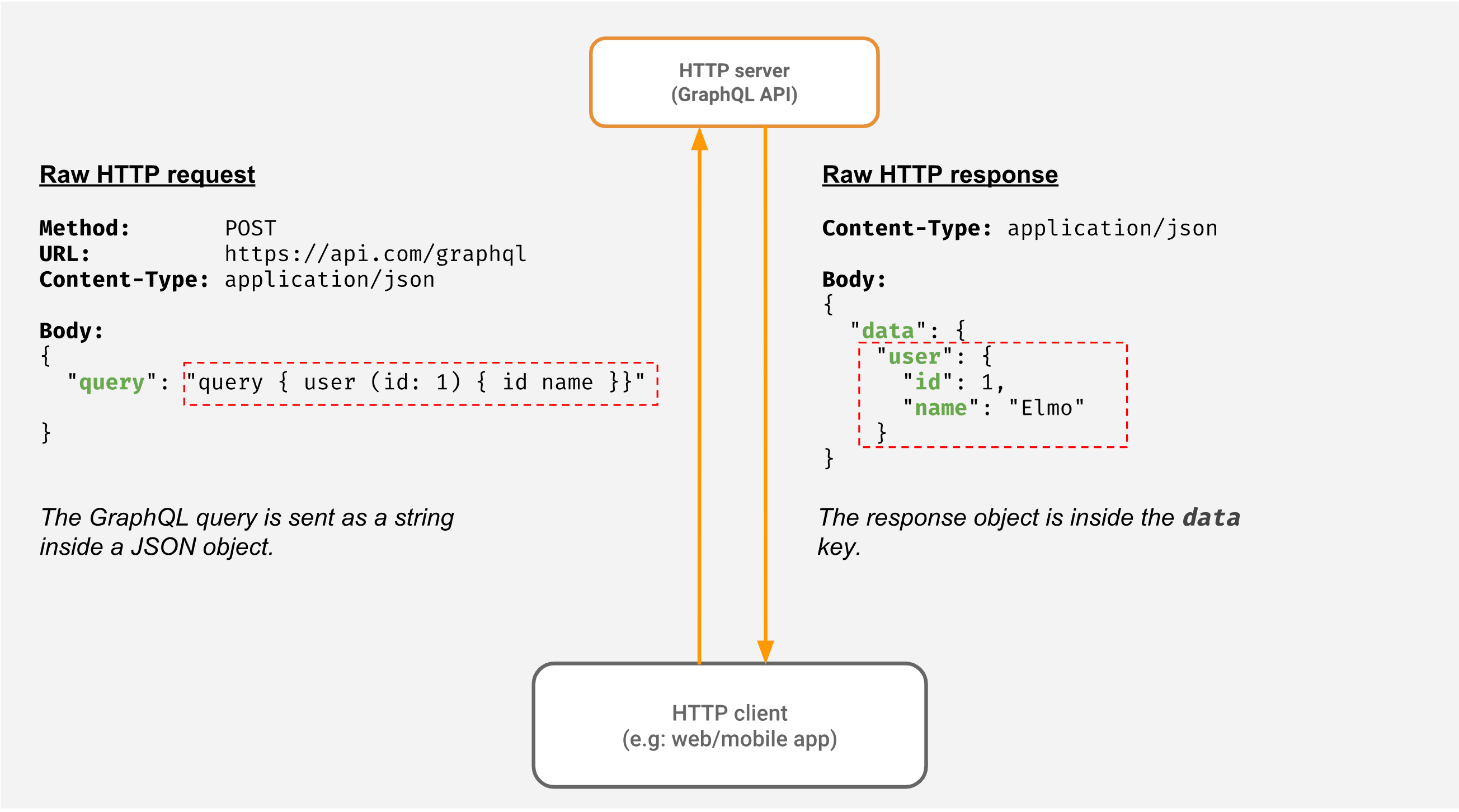
By restricting the response to essential data, developers significantly reduce the serialized JSON payload size. This optimization is critical for mobile applications operating on constrained bandwidth or high-latency networks.
Consider a user profile component that only requires the username and avatarUrl. A standard REST endpoint might return a bloated object containing email, address, lastLoginTimestamp, and accountStatus. In GraphQL, the query remains lean:
query GetUserPreview($id: ID!) { user(id: $id) { username avatarUrl } }By omitting the extraneous fields, the server avoids the overhead of database lookups or downstream service calls that would otherwise be triggered to populate those unused fields. This granular approach not only improves network performance but also reduces the computational cost on the server side.
When implementing these queries, developers should treat field selection as a performance contract, ensuring that only the data strictly necessary for the UI layer is included in the request. This discipline prevents the gradual accumulation of technical debt where unused fields are maintained simply because they were part of a legacy response structure.
Managing complex data relationships with fragments
GraphQL fragments allow developers to define sets of fields once and reuse them across multiple operations. This mechanism is essential for maintaining large-scale applications where the same entity—such as a User profile or a Product object—is requested across different pages.
By centralizing these definitions, you ensure that any change to the data schema requires an update in only one location, significantly reducing the risk of runtime errors.
Implementing reusable fragments for consistent data structures
To implement fragments effectively, define them based on specific GraphQL types. For instance, if your application frequently displays user information, create a fragment specifically for the User type. This ensures that your client-side components receive a predictable shape of data regardless of where the query originates.
fragment UserDetails on User { id username email avatarUrl
} query GetProfile { me {...UserDetails }
}
When working with nested relationships, fragments prevent the common pitfall of manual query duplication. If a Post object contains an author field, you can spread the UserDetails fragment inside the Post query. This keeps your codebase DRY (Don’t Repeat Yourself) and makes the data fetching logic easier to audit.

Beyond code cleanliness, fragments improve performance by allowing you to colocate data requirements with the UI components that consume them. Using libraries like Apollo Client or Relay, you can aggregate fragments from various child components into a single document sent to the server.
This approach ensures that you only fetch the fields necessary for the current view, avoiding the over-fetching problems common in traditional REST APIs. When managing complex relationships, always verify that your fragments are typed correctly against your schema to leverage the full benefit of static analysis tools like graphql-codegen, which can automatically generate TypeScript interfaces from your fragment definitions.
Optimizing server-side performance with query variables
Hardcoding values directly into GraphQL query strings is a common anti-pattern that degrades performance and bypasses server-side caching mechanisms. By utilizing query variables, you decouple the query structure from the data parameters.
This allows the GraphQL engine to recognize the query template as a static operation, enabling the server to cache the execution plan and reuse it across multiple requests with different input values.
Enforcing type safety via GraphQL variables
Using variables is the primary defense against injection risks and malformed data inputs. When you define variables in your schema, the GraphQL server performs strict type validation before the resolver is ever triggered.
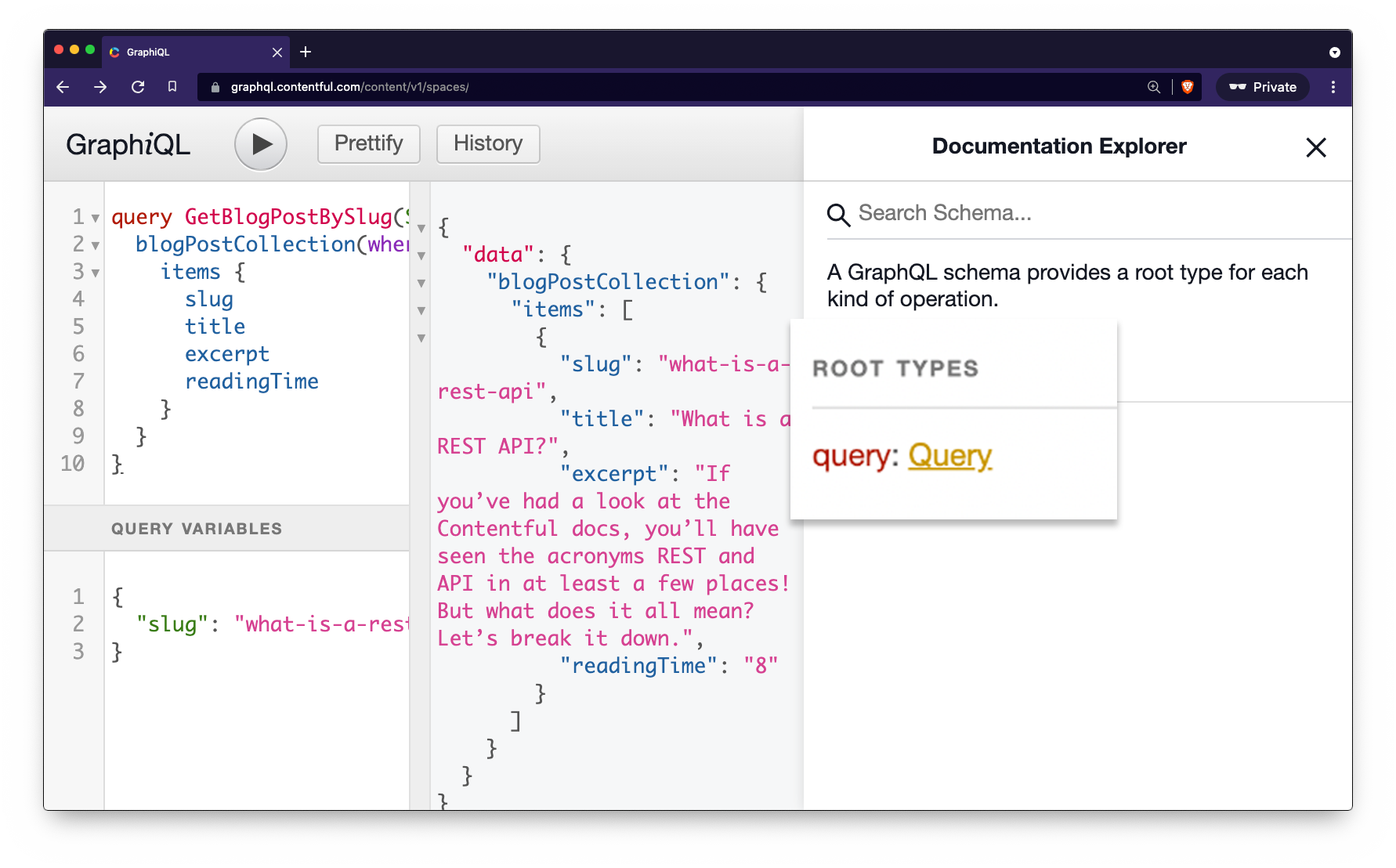
If a client sends a string where an integer is expected, the server rejects the request immediately, preventing downstream logic errors or database query failures.
Consider the following implementation pattern for a user lookup:
query GetUserById($id: ID!) { user(id: $id) { username email } }In this example, the $id variable is explicitly typed as ID! (non-nullable). This approach provides several technical advantages:
- Query Plan Caching: Servers like Apollo Router or Hive can store the parsed AST (Abstract Syntax Tree) of the query. Since the structure remains constant, the server skips the expensive parsing and validation phase for subsequent requests.
- Injection Prevention: Because variables are sent separately from the query string, they are treated as data rather than executable code. This effectively neutralizes potential injection attacks that attempt to manipulate the query logic via string concatenation.
- Network Efficiency: By keeping the query string static, you can implement persistent queries (also known as persisted queries). The client sends a hash of the query string instead of the full text, significantly reducing the payload size for repetitive operations.
To implement this effectively, ensure your frontend client—such as Relay or Apollo Client—is configured to pass variables as a separate JSON object. Avoid the temptation to use template literals to inject values into the query string, as this forces the server to treat every unique request as a new, distinct operation, effectively disabling the benefits of query plan caching.
Mitigating N+1 performance bottlenecks
The N+1 problem occurs when a GraphQL server executes one initial query to fetch a list of items, followed by N additional queries to resolve a nested field for each item. This pattern rapidly degrades performance, as each sub-query incurs network latency and database overhead.
Without intervention, a query for 50 users requesting their respective ‘last_order’ details could trigger 51 separate database round-trips.
Batching and caching requests with DataLoader
The most effective strategy to resolve this is implementing DataLoader, a utility library developed by Meta. It functions as a memoization and batching layer between your GraphQL resolvers and your data source.
When a resolver requests data, DataLoader does not immediately execute the database call. Instead, it queues the request and waits for the current event loop tick to finish. Once the tick concludes, it bundles all requested IDs into a single batch query, such as SELECT * FROM orders WHERE user_id IN (1, 2, 3...).
To implement this, you must define a batch loading function. Here is a practical example using a Node.js environment:
const orderLoader = new DataLoader(async (userIds) => { const orders = await db.orders.findAll({ where: { userId: userIds } }); return userIds.map(id => orders.filter(order => order.userId === id)); });This implementation ensures that even if your GraphQL schema requests the same field multiple times within a single execution, DataLoader returns the cached result from the first call. This eliminates redundant database hits entirely within the scope of a single request.
Beyond batching, consider these architectural guardrails to maintain efficiency:
- Query Depth Limiting: Use libraries like
graphql-depth-limitto prevent malicious or accidental deeply nested queries that bypass batching logic. - Query Cost Analysis: Assign ‘costs’ to fields. If a query exceeds a predefined complexity threshold, reject it before execution to protect your database from resource exhaustion.
- Database Indexing: Ensure that the keys used in your batch operations are properly indexed. Even with batching, an unoptimized SQL query on a large table will remain a bottleneck.
By decoupling the resolver logic from the data fetching mechanism, you transform your API from an N+1 liability into a high-performance data delivery layer. Always instantiate your loaders per-request to ensure that cache isolation is maintained between different users.
Monitoring query complexity and depth
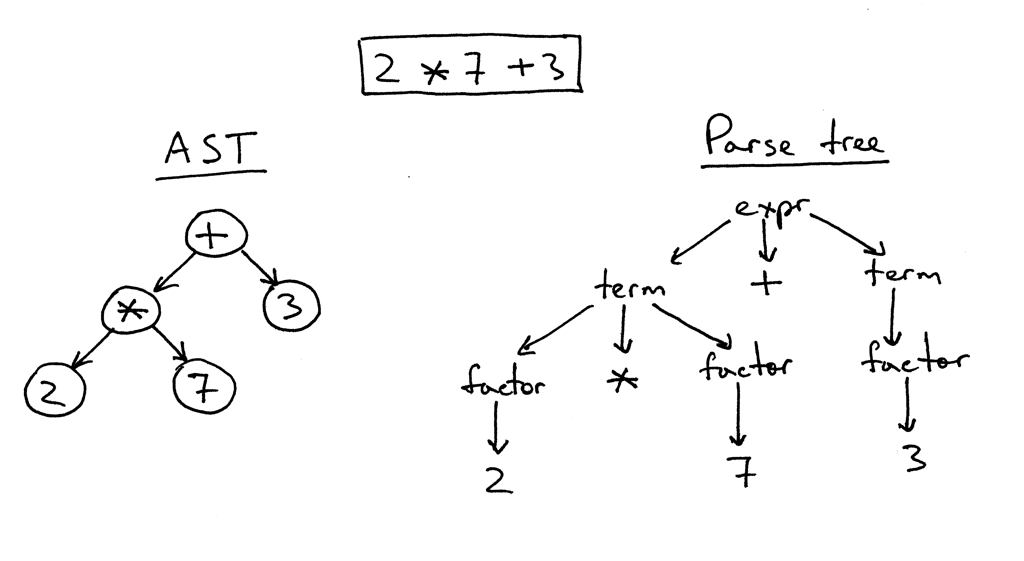
Unrestricted GraphQL execution allows clients to request deeply nested data structures, which can trigger recursive database lookups and exhaust server memory. To maintain production stability, you must implement a validation layer that analyzes the abstract syntax tree (AST) of incoming requests before execution begins.
For teams looking to optimize their backend workflows, understanding python programming for data science can provide deeper insights into managing complex data processing tasks efficiently.
Setting query depth limits for production stability
Query depth limiting prevents malicious or poorly constructed requests from traversing excessively deep object graphs. By assigning a maximum depth—typically between 5 and 10 levels—you ensure that your resolver functions do not trigger runaway database queries.
Most production-grade servers, such as Apollo Server or Yoga, provide built-in plugins like graphql-depth-limit to enforce this constraint at the validation stage.
Beyond depth, implementing a complexity scoring system offers granular control over resource consumption. Assign a static cost to every field in your schema. For example, a simple scalar field might have a cost of 1, while a connection or a list field that requires a database join might carry a cost of 5 or 10.
By calculating the total cost of a query, you can reject requests that exceed your server’s capacity per request cycle.
To implement this effectively, use the following strategy:
- Define field costs: Annotate your schema with custom directives (e.g.,
@cost(value: 5)) to explicitly define the weight of expensive resolvers. - Calculate total cost: Use a library like
graphql-validation-complexityto sum these values before the query reaches the execution engine. - Enforce thresholds: Set a global maximum complexity score (e.g., 500 units). If a client request exceeds this, return a 400 Bad Request error immediately, preventing the server from wasting CPU cycles on the operation.
Monitoring these metrics provides visibility into how your API is consumed. If you notice frequent rejections, it indicates that your client-side developers may need to optimize their data fetching patterns or that your schema design requires further normalization to reduce the cost of common queries.
Frequently Asked Questions
Strategies for preventing over-fetching in GraphQL
The most effective method is to enforce strict schema design where fields are granular and to utilize fragment colocation. By ensuring components only request the specific fields they need via fragments, you prevent the server from returning unnecessary data.
Methods for handling nested data fetching to avoid N+1 problems
Use the DataLoader utility to batch and cache database requests. By grouping individual requests into a single batch call during a single tick of the event loop, you significantly reduce the number of round trips to your database.
- GraphQL versus REST API architectural trade-offs for fintech systems
- Mastering GraphQL resolvers: connecting data sources at scale
- Architectural decision criteria for Can GraphQL Replace REST APIs? A Strategic Analysis
- GraphQL and HTTP: Understanding the Protocol integration in modern API architecture